

Generate the embed code
Open the Share Link dialog
In the Rive editor, click the hamburger menu in the top-left corner and select Generate Share Link.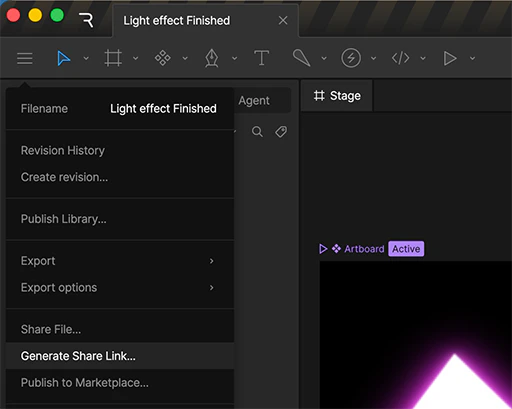
Generate your link
In the dialog that appears, click Generate Link to create a shareable URL for your file.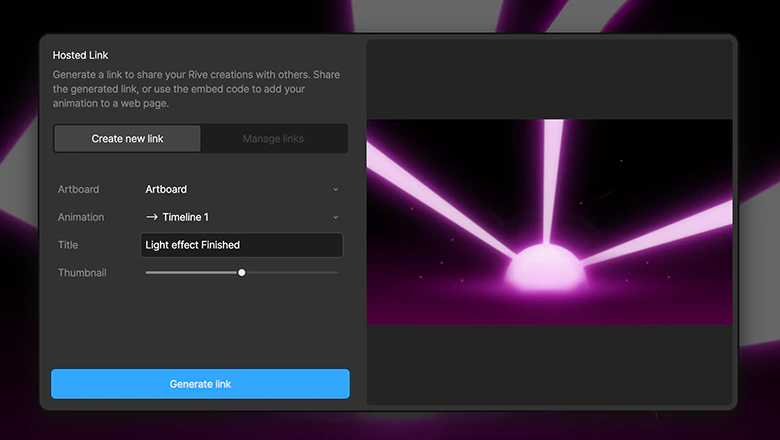
Choose a share link type
Once the link is generated, select the option that best fits how you plan to use your file.Some platforms (like Notion) support embedding directly from an Embed link. Otherwise, use the iframe Embed code.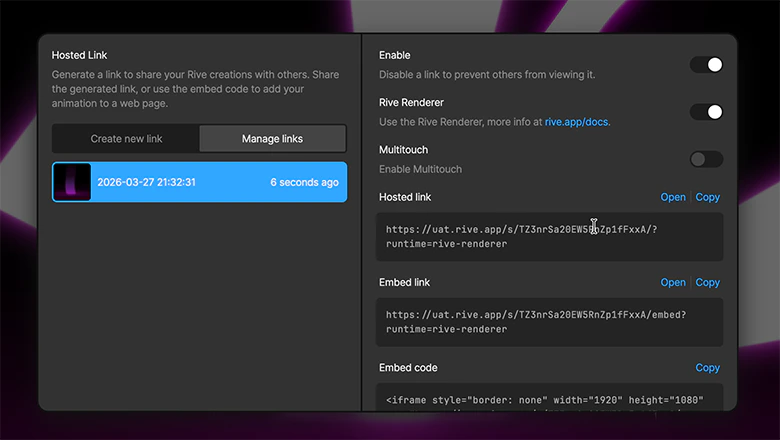
For more information about the various types of share link, see Share Links.